Screenshot Page

Takes a screenshot of the visible area on the current page.
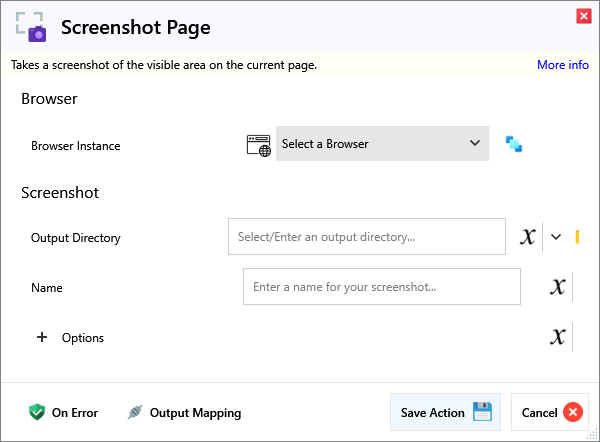
Input
Browser
| Name | Required | Description |
|---|---|---|
| Browser Instance | Which browser instance to run against. |
Screenshot
| Name | Required | Description |
|---|---|---|
| Output Directory | Output directory for screenshot to be saved in. | |
| Name | The screenshot file name, without extension (that is set in Options/Format). |
Options
| Name | Required | Description |
|---|---|---|
| Full Page | Takes a full page screenshot instead of just the visible part. | |
| Image Format | What format to save the screenshot in. | |
| Image Quality (JPEG Only) | Quality, between 0 and 100. Only affects JPEG Format. | |
| Remove Background | (Experimental) Removes all white background from the screenshot. |
Crop Screenshot
| Name | Required | Description |
|---|---|---|
| Enabled | Whether this crop enabled or not. | |
| Height | Height of the cropped area. | |
| Width | Width of the cropped area. | |
| X Coordinate | X Coordinate of the top-left point of the crop area. | |
| Y Coordinate | Y Coordinate of the top-left point of the selected Element. |
| Name | Required | Description |
|---|---|---|
| Timeout (ms) | How long to wait in milliseconds for a successful screenshot. Default is 30s. |
Output
| Name | Required | Description |
|---|---|---|
| Action Success | True if the action passed, false if it failed. |